by Kavio Labs · for WooCommerce 10.1+ on WordPress 6.7+
Flagship multipurpose block theme: five ready-made stores (Fashion, Electronics, Home, Beauty, Grocery) imported with one click, each switching colours, fonts, header, footer and home page. Three headers, two footers, mega menu, quick view, wishlist and compare, live search, AJAX filters, colour and size swatches, deal countdowns, a sticky add-to-cart bar and a free-shipping bar.
Tested on WooCommerce 11.2.1 & WordPress 7.1.3Updated Oct 29, 2026Version 1.0.0Compatible with WooCommerce 10.1 – 11.2, WordPress 6.7+ No core file edits
Built forWooCommerce
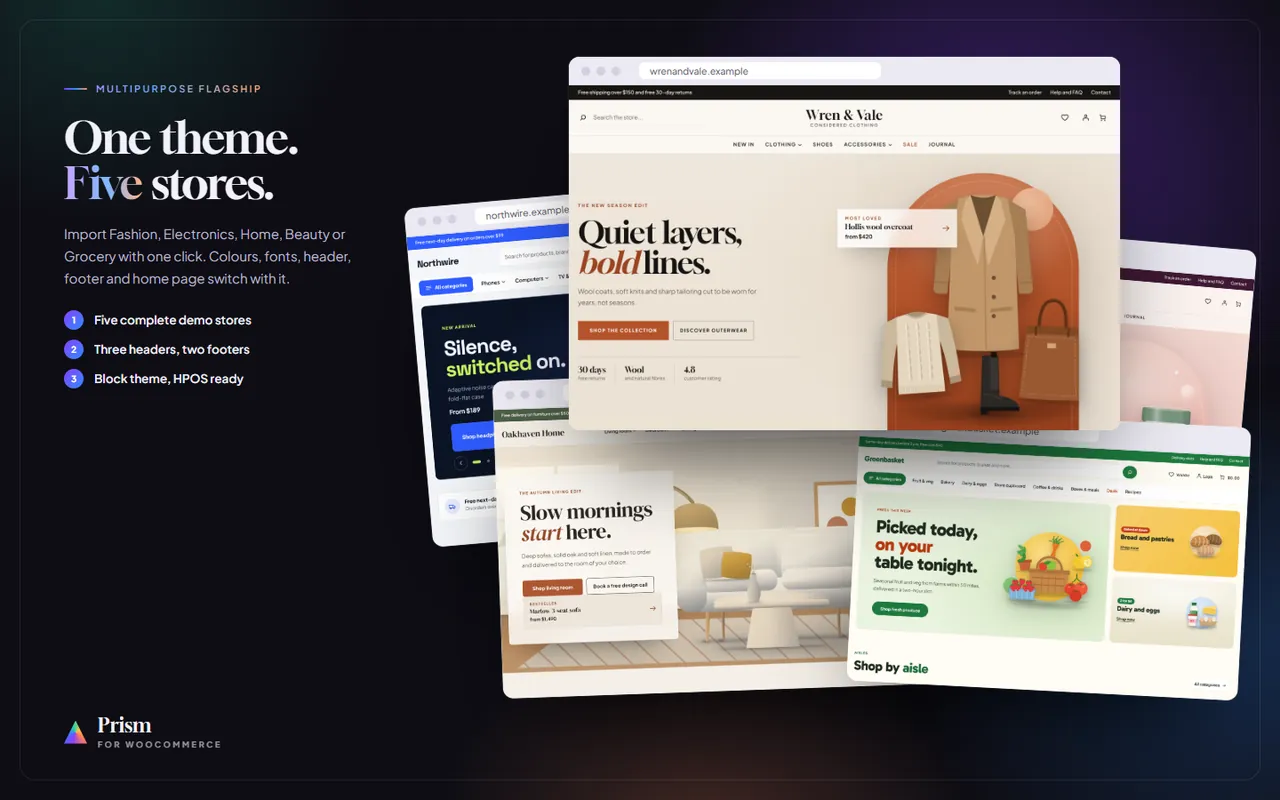
One theme, five ready-made stores: Fashion, Electronics, Home, Beauty and Grocery1 of 16
What it does
Flagship multipurpose block theme: five ready-made stores (Fashion, Electronics, Home, Beauty, Grocery) imported with one click, each switching colours, fonts, header, footer and home page. Three headers, two footers, mega menu, quick view, wishlist and compare, live search, AJAX filters, colour and size swatches, deal countdowns, a sticky add-to-cart bar and a free-shipping bar.
Features
Five complete demo stores (fashion, electronics, home, beauty, grocery) with one-click import, store switching and one-click removal.
Three headers (classic, centred, market with big search and All categories) and two footers (dark, light); announcement bar, sticky header.
Mega menu with column headings and a featured promo card; full-screen menu and a mobile tab bar on phones.
Product cards with hover image, badges, wishlist, compare and quick-view buttons, quick add to cart, colour dots and ratings.
Quick view, wishlist drawer and compare table (saved in the shopper's browser, no account needed).
Live search suggestions with image and price.
AJAX shop filters (WooCommerce Product Filters) with your attributes added automatically; sub-category chips, column switch.
Product page: colour and size swatches, sale countdown, size guide, perks, recently viewed and a sticky add-to-cart bar.
Deal of the day with countdown and stock bars, brand strip, product tabs, hero slider, promo banners, lookbook, routine steps.
Free-shipping progress bar; Cart, Checkout and Mini Cart blocks styled; classic pages styled.
48 patterns including 18 reusable sections and 5 complete home pages; full site editing.
What you get
Download & installThe theme .zip, installed in Appearance > Themes > Add New Theme > Upload Theme. Download it from My licenses right after payment.
12 months of updates & supportNew versions and help for 12 months (24 or 36 months at checkout). After that the theme keeps working; renew anytime at 50%.
License for your storeOne production domain with all its subdomains; staging and local development hosts are free. How licensing works
30-day refundFull refund within 30 days of your first purchase, no reason needed. Refund policy
Tested buildsWooCommerce 10.1 – 11.2, WordPress 6.7+. Tested on WooCommerce 11.2.1 and WordPress 7.1.3, before every release.
Documentation & supportFull guide (Installation, Configuration, Usage, Developer notes) on this page. Tickets from your account, first reply within 1 business day.
Compatibility
Prism: Multipurpose Theme works with WooCommerce 10.1 – 11.2, WordPress 6.7+.
We list the builds we install and test on. “Tested” means the full test plan runs on that build before every release; “Supported” means the build is inside the supported range.
Compatibility
Version
Range
Runs on
Status
WooCommerce 11
11.0 – 11.2
WordPress 6.7 – 7.1
Tested on 11.2.1 before every release
WooCommerce 10
10.1 – 10.x
WordPress 6.7+
Supported
WordPress
6.7 – 7.1
PHP 7.4 – 8.3
Tested on 7.1.3 before every release
1.0.0
Oct 29, 2026
Latest
First release: multipurpose block theme for WordPress 6.7+ and WooCommerce 10.1+.
Five demo stores with one-click import, switching and removal: Fashion (Wren & Vale), Electronics (Northwire), Home (Oakhaven Home), Beauty (Solace Skin), Grocery (Greenbasket), each with its own style, header, footer and home page.
Three headers (classic, centred, market), two footers (dark, light), announcement bar, sticky header, mega menu with a featured card, mobile tab bar.
Cards with hover image, badges, wishlist, compare, quick view and quick add; wishlist drawer, compare table, live search.
AJAX shop filters with automatic attribute filters, sub-category chips and a column switch.
Product page with swatches, sale countdown, size guide, perks, recently viewed and a sticky add-to-cart bar.
Deals with countdown and stock bars, product tabs, hero slider, promo banners, brands, lookbook, steps; free-shipping progress bar; Cart and Checkout blocks styled; 48 patterns.
How do I install the theme?
Download the package from My licenses and install it in Appearance > Themes > Add New Theme > Upload Theme, like any other WooCommerce theme. The Documentation tab has every step, from the first activation to the theme settings.
Which WooCommerce versions does it work with?
WooCommerce 10.1 – 11.2, WordPress 6.7+. Every release is installed and tested on WooCommerce 11.2.1 and WordPress 7.1.3 before it is published. The Compatibility tab lists every version range.
What does the license cover?
One production store domain with every subdomain (www, shop., staging.), plus local development hosts such as localhost, *.local and *.test. A store on another domain needs its own license; a second-store license is 40% off. You have 14 days after installing to enter the key. 12 months of updates and support are included; after that the theme keeps working and renewals are 50% off. How licensing works
Can I get a refund?
Yes. Ask for a full refund within 30 days of your first purchase, no reason needed: open a ticket or write to [email protected] with your order number. The money goes back to the card or bank account you paid with within 5 business days of approval. Refund policy
How do I get help?
Open a ticket from your account, so your license details are attached. We answer Monday to Friday: bug reports within 1 business day, how-to questions within 2. Support policy. Not a customer yet? Ask a pre-sales question.
Prism is Kavio Labs' multipurpose block theme for WooCommerce: one theme with five complete, ready-made stores. Import a demo store with one click and Prism switches the colours, fonts, header, footer and home page with it, together with a full catalogue, pages and posts. Switch to another store at any time, or keep the look and add your own products.
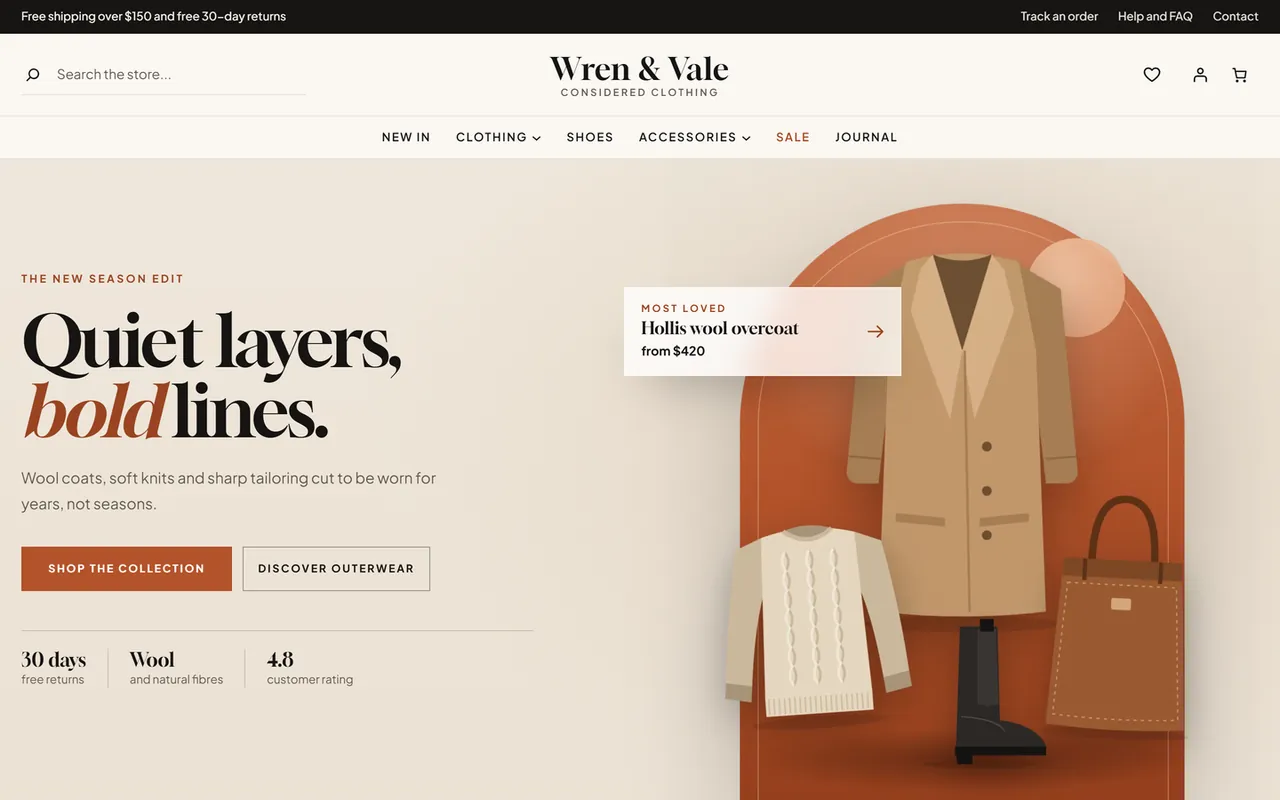
Fashion store, home page
The five stores
Store
Demo name
Look
Header
Home page
Fashion (default)
Wren & Vale
ivory, ink and clay; Gloock display type; square corners
centred
split hero with an arch, promises, category tiles, product tabs, promo duo, lookbook band, trending, reviews, journal, members band
Electronics
Northwire
cool white, navy and electric blue with lime; Space Grotesk
market
slider hero with two side tiles, promises, category circles, deal of the day with countdown, product tabs, three promo banners, brands, top rated, guides, members band
Home
Oakhaven Home
oat, umber and terracotta with sage; DM Serif Display
classic
full-width room hero with a text panel, room tiles, new in, promo duo, promises, bestsellers, reviews, ideas, design-call band
Beauty
Solace Skin
blush, plum and rose; Cormorant Garamond; pill buttons
centred
arch hero with plinths, category circles, product tabs, four-step routine, promo duo, on sale, reviews, journal, club band
Grocery
Greenbasket
cream, green and tomato with sun yellow; Gabarito
market
banner grid hero, aisle circles, weekly deals with countdown, popular now, three promo banners, product tabs, promises, recipes, rewards band
The five stores
What you get
Five complete demo stores with one-click import and one-click removal (Appearance > Prism). Each store brings its own products (simple and variable, with colour, shade and size options), categories, brands, reviews, deals with an end date, four pages (About us, Shipping and returns, Help and FAQ, Contact) and journal posts.
Three headers: classic (logo, mega menu and icons in one row), centred (search, logo and tagline in the middle, menu row below) and market (wide search with live suggestions, labelled icons, a category bar with an All categories menu). All three have the announcement bar, a sticky header that slides in while scrolling and a full-screen menu on phones.
Two footers: dark and light, with a promises row, the store note, contact lines, three link columns and the legal line.
Mega menu with headings and a featured promo card in every panel.
Product cards: image well with the second photo on hover, badges (sale %, New, Bestseller, Only a few left, Sold out), round wishlist, compare and quick-view buttons, a quick bar with Add to cart (Store API, no reload, toast with a View cart link) or Select options, colour dots and the average rating under the price.
Quick view dialog, wishlist drawer and compare table (up to four products): saved in the shopper's browser, no account needed, nothing stored on your server.
Live search: product suggestions with image and price while typing, keyboard friendly, plus a full-screen search on phones.
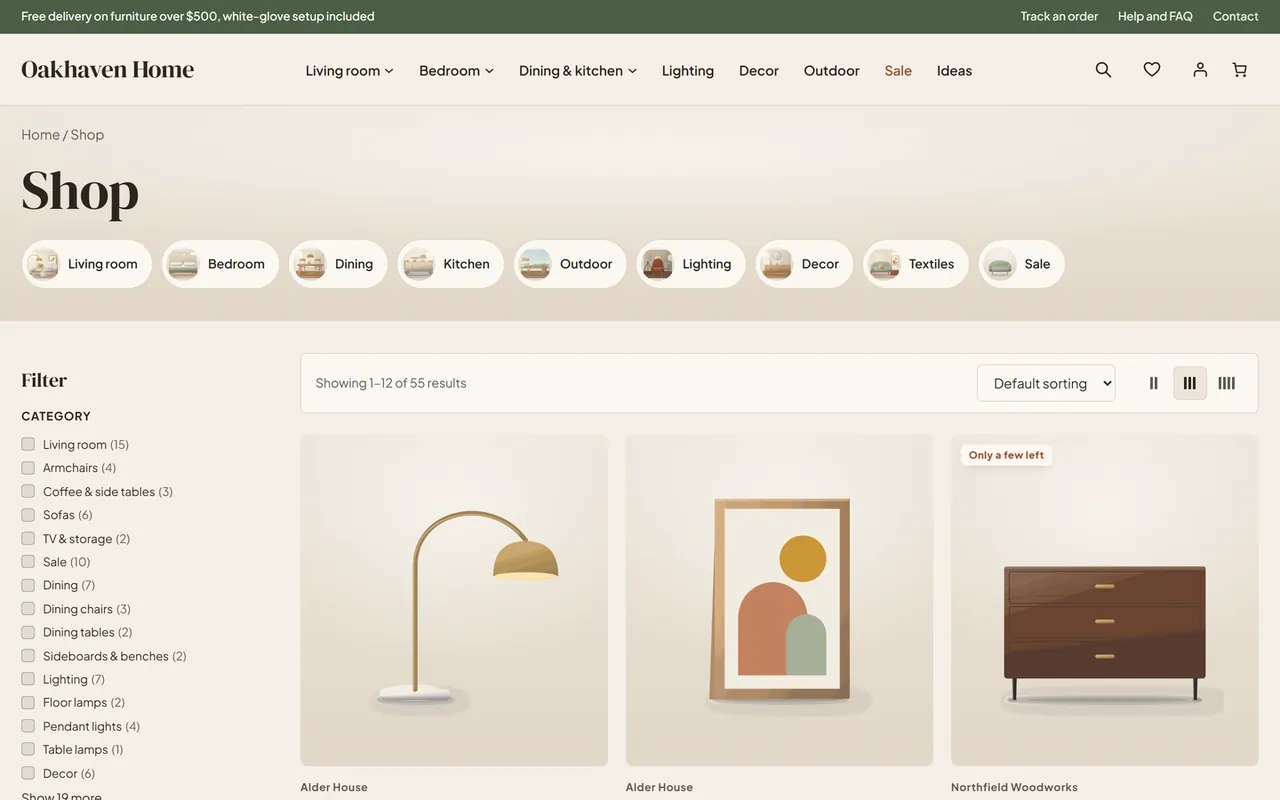
Shop and category pages: sub-category chips, WooCommerce Product Filters (category, price, your colour, size and other attributes, rating, availability) that update the grid without a page reload, sorting and a 2 / 3 / 4 column switch.
Product page: gallery, colour swatches (from the term colour or the colour name) and size chips with sold-out options struck through, a sale countdown, wishlist and compare buttons, a size guide dialog for clothing and shoe sizes, shipping link, four perks, tabs, related products, recently viewed products and a sticky add-to-cart bar.
Cart and checkout: the WooCommerce Cart and Checkout blocks styled, a free-shipping progress bar on the cart, a minimal secure checkout header; the classic shortcode pages are styled too.
Mobile tab bar (Home, Shop, Search, Wishlist, Account), back-to-top button, deal countdowns, hero slider with autoplay that pauses on hover and respects reduced motion.
Eighteen section patterns for your own pages (Prism sections in the block inserter).
WCAG AA colours in every store, visible focus, 44 px touch targets, RTL ready, self-hosted fonts, no external requests.
Requirements
WordPress 6.7 or newer, WooCommerce 10.1 or newer (tested with WooCommerce 11.2.1 and WordPress 7.1.3), PHP 7.4 to 8.3. Prism never reads or writes orders, so it works with High-Performance Order Storage (HPOS) and the legacy order storage.
Installation
Download kv-prism-kv.zip from My licenses > Downloads on kaviolabs.com.
In WordPress go to Appearance > Themes > Add New Theme > Upload Theme, choose the zip and click Install Now, then Activate.
Make sure WooCommerce 10.1 or newer is active (Plugins > Installed Plugins).
Go to Appearance > Prism, paste your licence key into the Licence card and click Save and check.
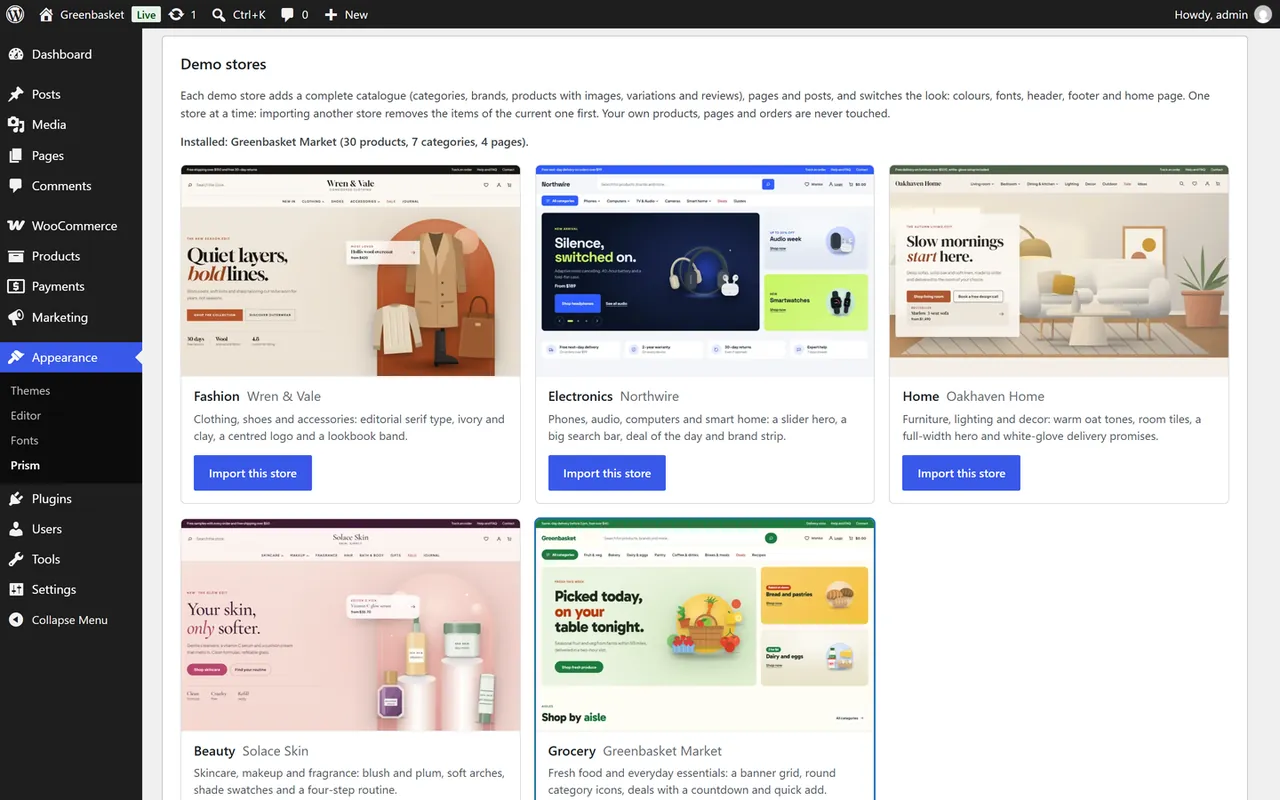
Still on Appearance > Prism, pick a store under Demo stores and click Import this store (optional, about one minute). The store's colours, fonts, header, footer and home page switch with it.
Appearance > Prism
Without demo content
Prism works without the demo: the Fashion look is the default, the home page shows the Fashion layout and the product sections fill with your own products and categories. Choose another look and layout in Appearance > Prism > Layout and features, then edit the texts and images of the home page in Appearance > Editor.
Updating
New versions are listed in My licenses > Downloads while your updates period is active. Upload the new zip the same way (WordPress asks to replace the current version). Your settings, demo content and Site Editor changes stay.
Removing
Appearance > Prism > Remove the demo content deletes exactly the items the importer created (products, variations, images, categories, brands, reviews, pages, posts and the product attributes it added). Your own products, pages and orders are never touched. Switching to another theme leaves all content in place.
Configuration
All theme settings are on Appearance > Prism. Everything else (logo text, menus, texts, images, sections, colours, fonts) is edited in Appearance > Editor.
Licence
Enter the licence key from your kaviolabs.com account and click Save and check. A new installation has a start period of 14 days. Without a valid licence the theme extras (quick view, add to cart from cards, wishlist, compare, live search, sticky add-to-cart bar, recently viewed, mobile tab bar) and the demo importer are switched off; templates, styles and your store keep working. The check runs once a day from the admin area and sends only the site address and the key.
Demo stores
Button
What it does
Import this store
Adds the store's catalogue, pages and posts, applies its colours and fonts and uses its header, footer and home layout. If another demo store is installed, its items are removed first.
Import again
Updates the demo items of the installed store (nothing is duplicated).
Remove the demo content
Deletes only the items the importer created.
Layout and features
Setting
Default
Notes
Colours and fonts
keep
Applies a store look (Fashion, Electronics, Home, Beauty, Grocery) without importing content. The same looks are in Appearance > Editor > Styles.
Header
Automatic
Classic, Centred or Market. Automatic uses the header of the active store.
Footer
Automatic
Dark or Light.
Home page layout
Automatic
The home page sections of one of the five stores.
Announcement bar
empty
Your message above the header. Empty shows the store's own message; a single dash (-) hides the bar.
Free shipping from
empty
Order amount for the free-shipping progress bar on the cart. Empty takes the minimum amount of your Free shipping method; a demo store sets its own amount; 0 hides the bar.
Sticky header
on
The header slides in at the top after the page scrolled past it.
Quick view
on
Eye button on product cards.
Wishlist
on
Heart buttons, header and tab-bar wishlist, wishlist drawer.
Compare
on
Compare buttons, compare tray and table (up to four products).
Live search
on
Product suggestions under the search fields.
Sticky add-to-cart bar
on
Bar at the bottom of product pages once the add-to-cart button scrolled away.
Mobile tab bar
on
Home, Shop, Search, Wishlist and Account at the bottom of the screen below 782 px.
Data the features need
Colour swatches use the colour of the attribute term (term meta color, the same field WooCommerce's colour and image attributes use) or, failing that, the colour name (Black, Navy, Sage, Camel, Rose, Honey and about 60 more). Attributes named Colour, Color, Shade or Finish become dots, attributes with "size" in the name and Length, Capacity, Storage, Volume or Pack become chips, other short option lists become chips too.
Countdowns need a sale end date (product > Sale price > Schedule).
Badges: New = created in the last 21 days, Bestseller = 120 or more sales, Only a few left = 5 or fewer in stock.
Brand strip and brand line on cards use WooCommerce Brands (Products > Brands).
Size guide appears for clothing sizes (XS to XXL, waist 24 to 34) and shoe sizes (EU 35 to 47).
Usage
Shopping features
Shop with filters
Filters on shop and category pages are the WooCommerce Product Filters block. Prism adds a filter for each of your product attributes automatically (colour and size first, at most four) next to category, price, rating and availability. Choosing a filter updates the products without reloading the page; on phones the filters open in an overlay.
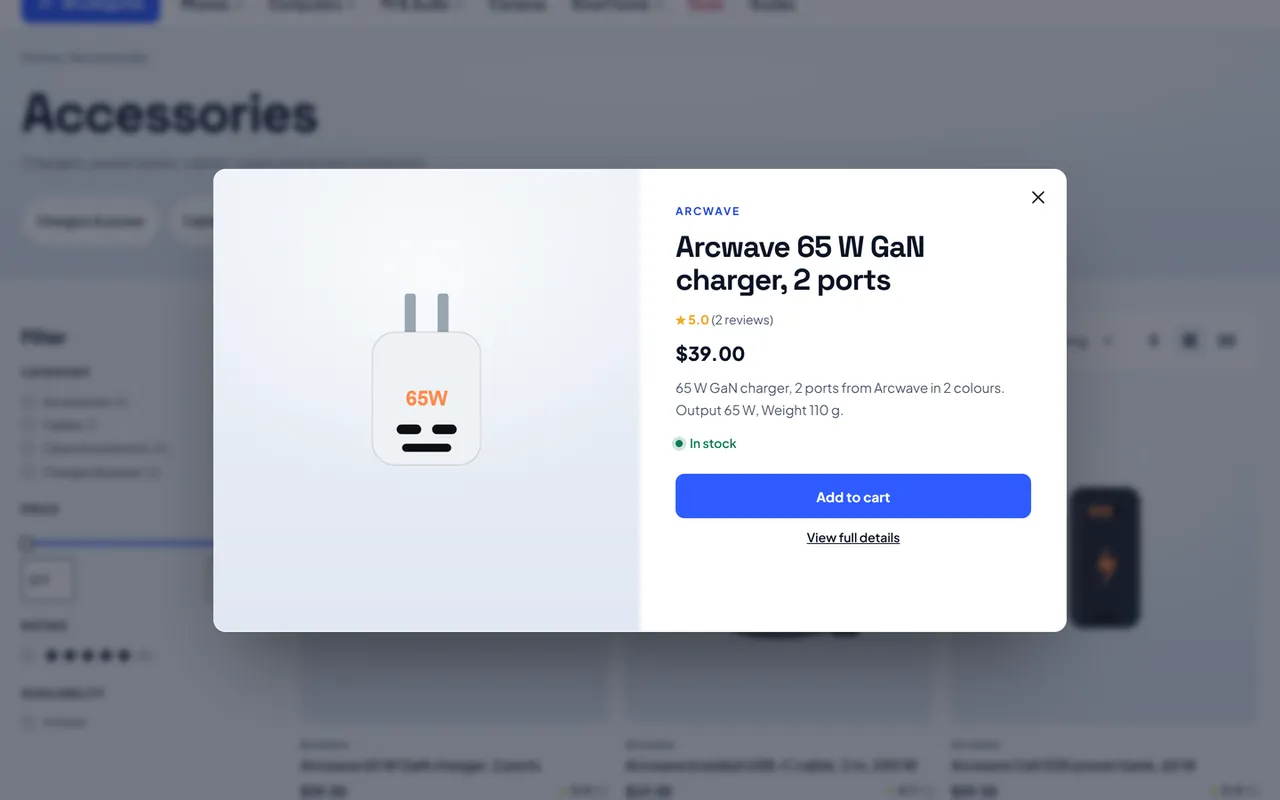
Quick view shows the photo, brand, name, rating, price, short description, options and stock, with Add to cart for simple products.
Quick view
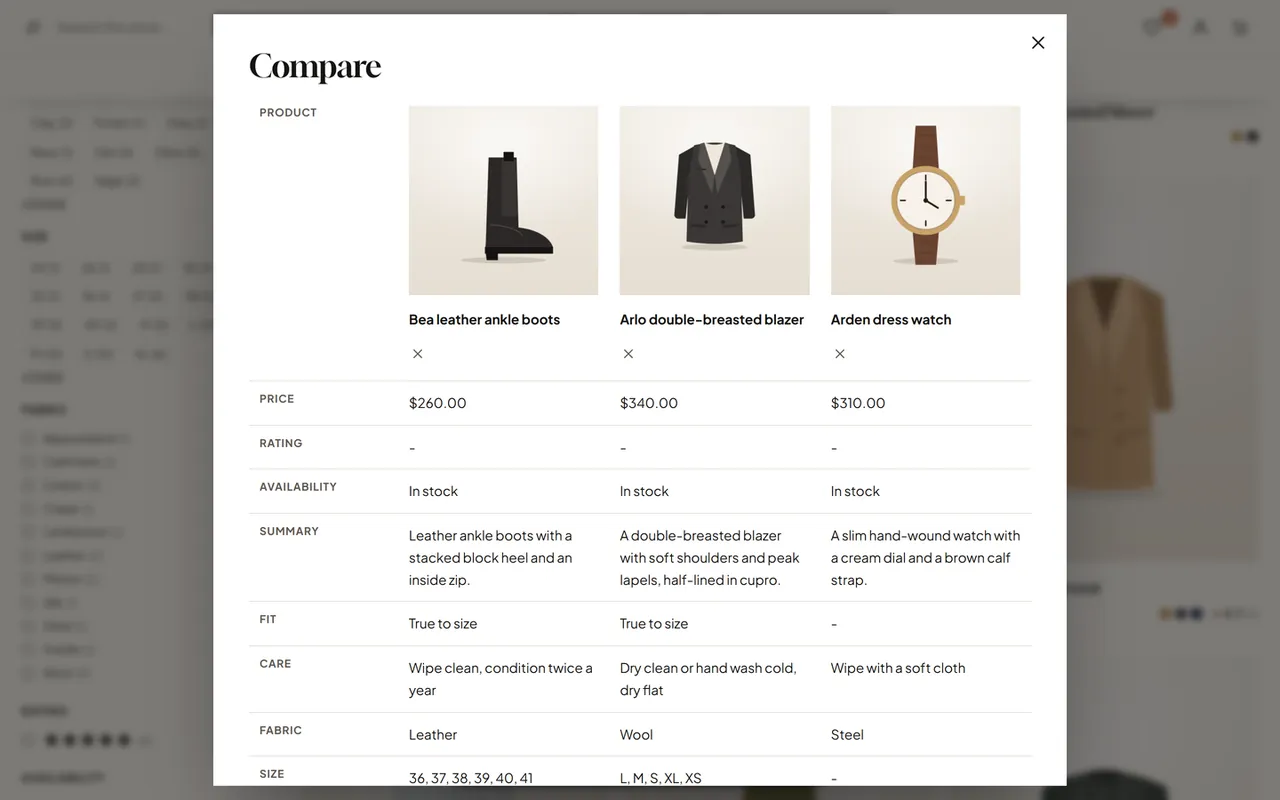
Wishlist and compare live in the shopper's browser: no login, no data on your server. The compare table shows price, rating, availability, summary and every attribute side by side.
Compare
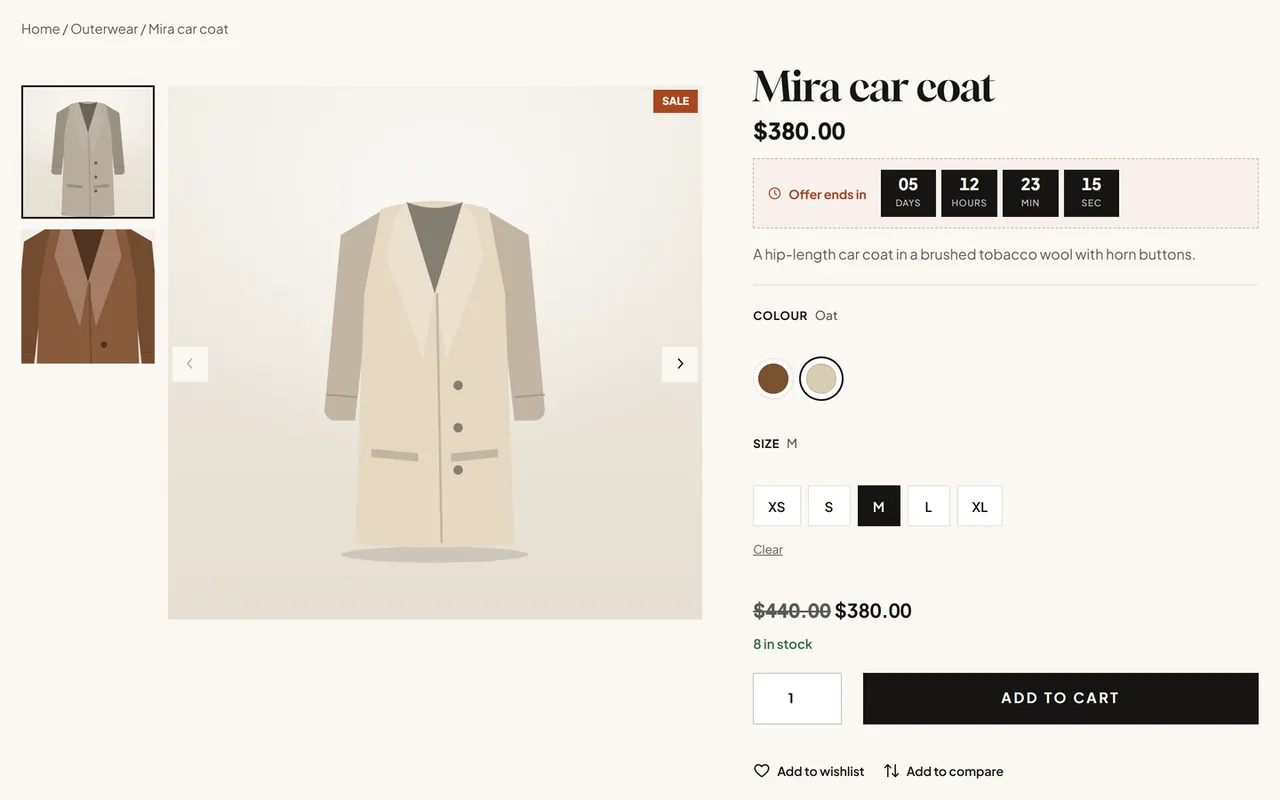
Product page: swatches drive the variation form (the original selects stay for accessibility and for plugins), sold-out combinations are struck through, the countdown shows when a sale has an end date and the sticky bar appears once the add-to-cart button scrolled away.
Product page
Editing the home page
The home page is the Home pattern of the active store. Open Appearance > Editor > Templates > Pages: Front Page and edit it like any page: change texts and buttons, swap images, reorder, delete or add sections. Saved changes replace the automatic layout. To start again, use Reset in the template's options.
Product sections (tabs, new arrivals, top rated, on sale) are WooCommerce Product Collection blocks: choose another collection, category or number of products in the block settings. Category tiles, circles and rooms, brands and deals fill themselves from your store.
Section patterns
In the block inserter, open Patterns > Prism sections: hero (split, slider, banner grid, full width), promises row, categories (tiles, circles), product tabs, new arrivals, deals with countdown, promo banners (two, three), brands, reviews, latest posts, steps, lookbook band and call to action. Prism home pages holds the five complete home pages.
Menus
Each store has its main menu with mega panels in the header patterns. Edit it in Appearance > Editor > Patterns > Template parts > Header: select the Navigation block. A submenu becomes a mega panel when it has the class kv-mega; items with the class kv-mega__head are column headings, and kv-mega-card-fashion-1 (store and number) adds the featured card.
Phones
Phones
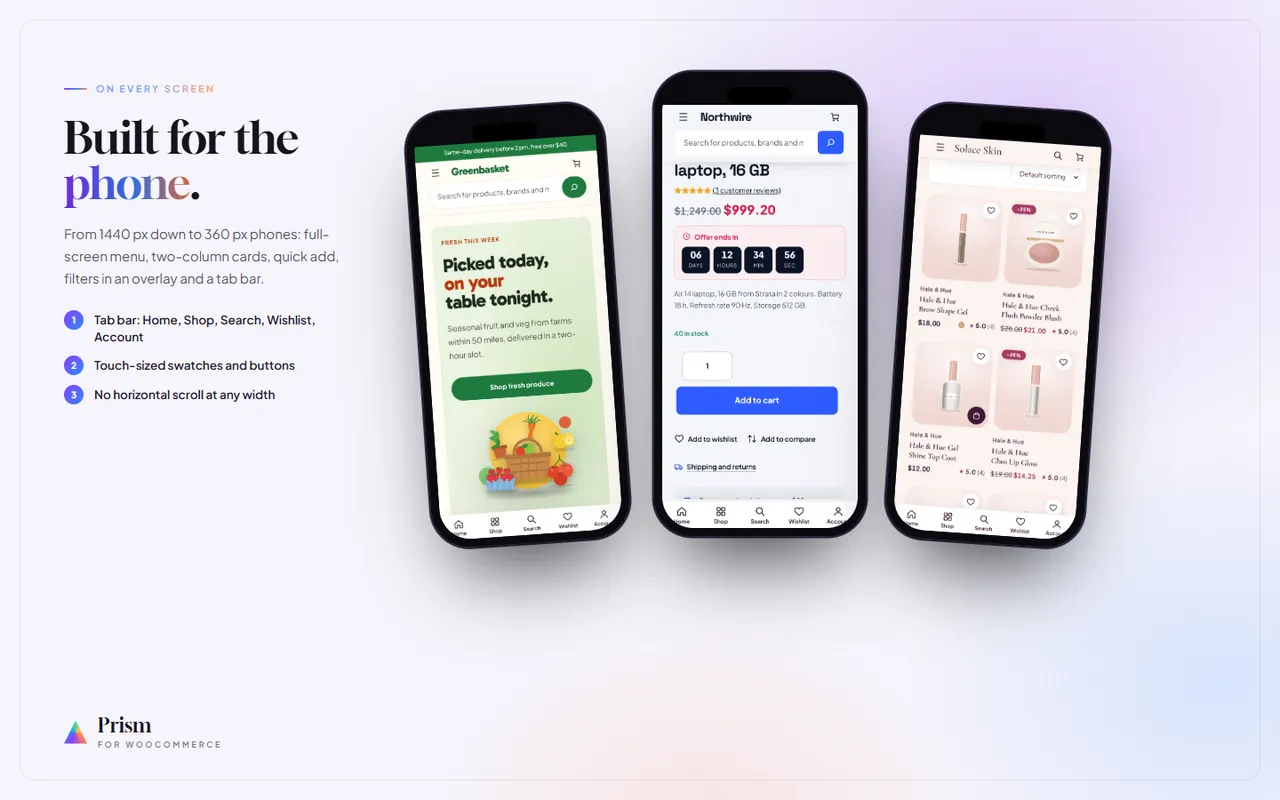
Below 1024 px (1180 px for the classic header) the menu opens full screen from the menu button. Below 782 px the mobile tab bar gives one-tap access to Home, Shop, Search, Wishlist and Account.
Developer notes
Structure
Path
Content
theme.json, styles/*.json
Fashion (default) and the Electronics, Home, Beauty and Grocery styles: palette, display font, radii, button and hero tokens (--wp--custom--*).
parts/header.html, parts/footer.html
Point at the kv-prism/header and kv-prism/footer patterns, which pick header-classic, header-centered, header-market, footer-dark or footer-light from the settings.
patterns/
48 patterns: headers, footers, menus (nav-<store>), home pages (home-<store>), 18 sections, product parts and store pages.
templates/
Block templates; front-page.html holds the kv-prism/home pattern.
One deferred script, no dependencies (jQuery only for the variation form events when present).
demo/<store>/
pack.json + images of each demo store.
Dynamic sections
Empty Group blocks with a marker class are filled on render: kv-dyn-cats (--tiles, --circles, --rooms, kv-dyn-limit-N), kv-dyn-allcats, kv-dyn-brands, kv-dyn-deal, kv-dyn-subcats, kv-dyn-pactions, kv-dyn-help, kv-dyn-freeship, kv-dyn-recent. A Group with the class kv-filter-attrs inside the Product Filters block is replaced by one Attribute Filter per store attribute (parsed-block level, so the filters keep the block context and the Interactivity router).
kv_prism_settings (one autoloaded array): licence key, demo store, header, footer, home, announcement, free-shipping amount and the feature switches.
kv_prism_demo_attributes, kv_prism_demo_free: bookkeeping of the importer (removed with the demo).
Transients kv_prism_free_shipping (1 hour) and kv_prism_deals (10 minutes, cleared on product changes).
Demo items carry the meta _kv_demo = kv-prism and _kv_demo_key.
Browser storage (shopper side only): kvPrismWish, kvPrismCompare, kvPrismRecent, kvPrismCols.
Hooks and APIs used
WooCommerce Store API (/wc/store/v1/products, cart, cart/add-item) with the Nonce header; woocommerce_dropdown_variation_attribute_options_html, render_block_woocommerce/product-image, render_block_woocommerce/product-price, render_block_core/group, render_block_core/navigation-submenu, render_block_data. Front-end events: wc-blocks_added_to_cart, wc_fragment_refresh.
Child themes
Create a block child theme with Template: kv-prism. Template and pattern files in the child override the parent; theme.json merges.
FAQ
Can I use two demo stores at the same time?
No. One store's content is installed at a time; importing another store removes the previous demo items first. You can still mix: for example the Electronics colours with the Home page layout and the classic header (Appearance > Prism > Layout and features).
Will the importer touch my products or orders?
No. It creates new items tagged as demo content and removes only those. Orders are never read or written by the theme.
A menu link of the demo points to a category of my own. If your store already had a category with the same address (for example accessories), the demo category gets a -kv-prism suffix and the menu still points at yours. Edit the link in the Header template part.
Where are wishlists stored?
In the shopper's browser (localStorage). They survive visits on the same device; nothing is stored on your server and no cookie is set. Clearing the browser data clears them.
Do the filters need a plugin?
No. They are WooCommerce's own Product Filters blocks; Prism styles them and adds your attributes automatically.
The free-shipping bar does not show. Set an amount in Appearance > Prism > Free shipping from, or give your Free shipping method a minimum order amount.
Does Prism work with the classic cart and checkout?
Yes. The blocks are the default; the classic shortcode pages are styled as well.
Which plugins work with Prism?
Any standard WooCommerce plugin. Kavio Labs plugins (Product Personalizer, Make an Offer, Sell by Measure, EU Consumer Law Kit, Vehicle Fitment) are tested with it.
Are the demo images mine to use?
They are original illustrations made for the theme and licensed with it under the GPL; replace them with your own product photos for a real store.
What happens when my licence expires?
The theme keeps working. Updates stop; after a missing or revoked licence the extras listed under Configuration switch off, the store itself keeps running.
Year/make/model parts search for WooCommerce: fitment table per product, CSV import, My Garage, fits / does not fit badge and vehicle-filtered shop and search pages.
EN 16931 e-invoices and credit notes from WooCommerce orders: XRechnung (CII/UBL), ZUGFeRD/Factur-X PDF/A-3 and Peppol BIS 3.0 UBL, gapless numbering, B2B checkout fields, validation, e-mail attachments, My Account downloads and ZIP export.